
Strategic Shift Toward Client-Side Intelligence in the US Market
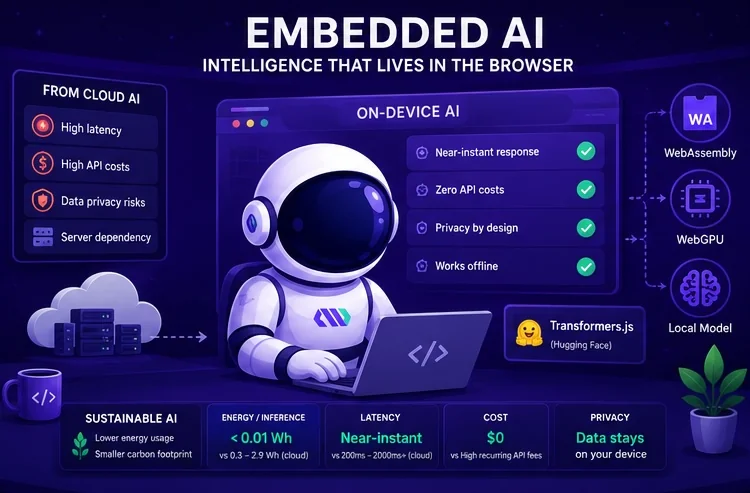
The standard architectural reflex for American startups and enterprises integrating Artificial Intelligence is to rely heavily on cloud-based APIs. While these services offer immense power, they introduce a set of operational frictions: high latency, recurring usage fees that scale linearly with user growth, and complex data privacy hurdles. For a CTO or founder, every round-trip to a remote server is a potential point of failure that can negatively impact the conversion rate of a high-traffic landing page or a complex web application.
Moving AI processing directly into the user's browser, a concept known as Embedded AI, is a pragmatic shift to optimize resources and enhance performance. By executing models on the client side, companies can deliver instant feedback—such as real-time text classification or sentiment analysis—without the overhead of maintaining massive server-side infrastructure. This approach significantly reduces the Total Cost of Ownership (TCO), as the compute burden is shifted from your cloud bill to the user’s device, which is already powered and running.
The technical feasibility of this transition is driven by WebAssembly and WebGPU, allowing browsers to execute mathematical operations at near-native speeds. This tutorial leverages Transformers.js, an industry-leading library that enables the deployment of pre-trained models from the Hugging Face ecosystem directly within a JavaScript environment. This setup ensures that user data remains on the local device, addressing critical compliance requirements like CCPA and providing a privacy-first guarantee that resonates with modern US consumers.
Addressing the Environmental Impact of Modern AI Workloads
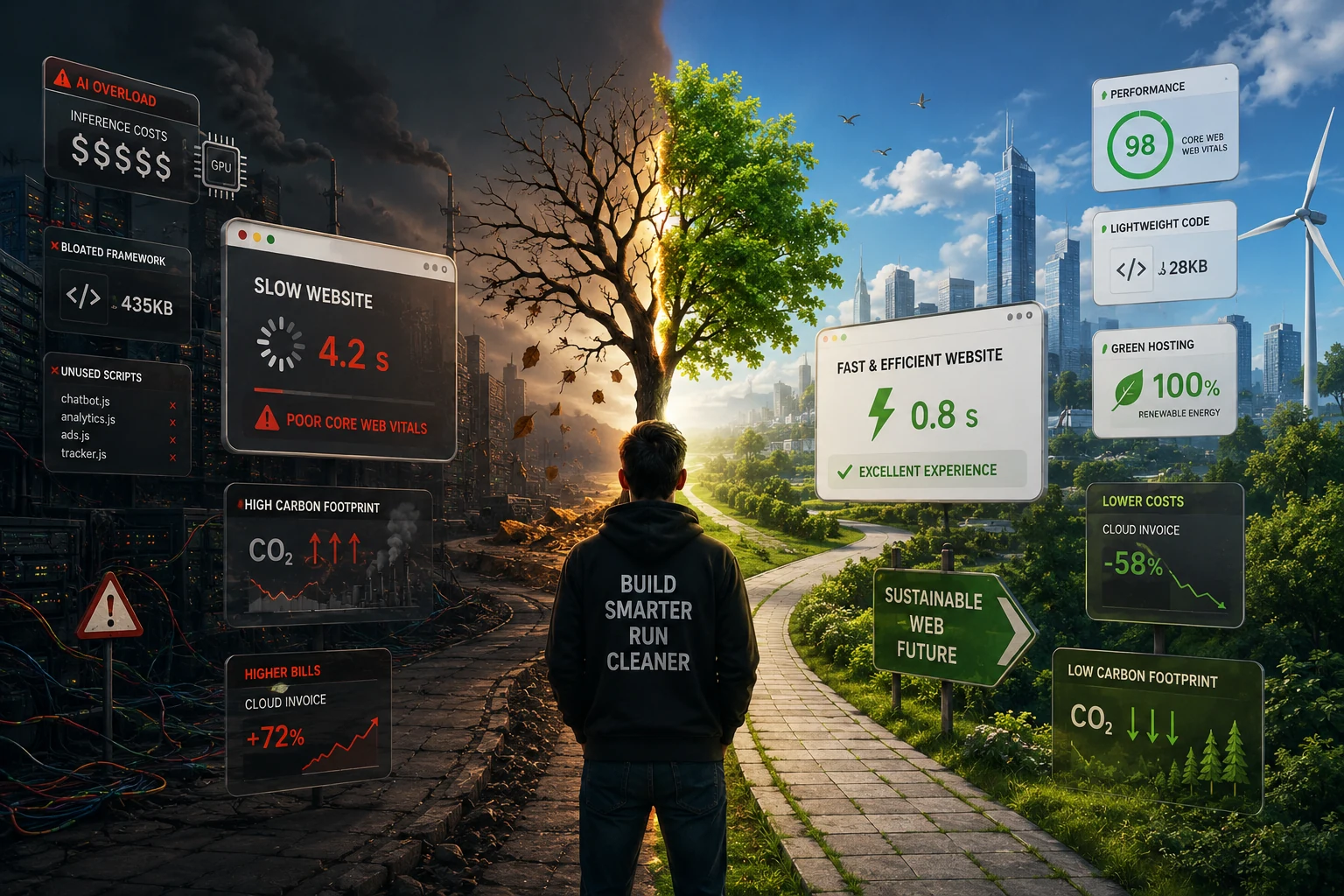
In the current competitive landscape, sustainability has evolved from a corporate social responsibility checkbox into a core component of a high-performance digital strategy. The environmental cost of centralized AI is significant: according to the International Energy Agency (IEA), energy consumption from data centers is projected to rise sharply by 2026. A single query to a cloud-based LLM can consume nearly 10 times more electricity than a traditional search engine query, creating a measurable carbon footprint for every automated user interaction.
For US-based organizations, adopting Eco-Responsible AI is about more than just ethics; it is about efficiency. Centralized AI training and inference require massive amounts of water for cooling and continuous electricity for high-density GPU racks. In contrast, On-Device AI leverages existing hardware, effectively recycling the energy already used to power the user's smartphone or laptop. This bypasses the energy-intensive data transmission across global networks, making your application inherently more sustainable.
The following table summarizes the key sustainability and operational benefits of shifting from cloud-dependent models to browser-based Embedded AI:
| Metric | Cloud-Based AI (Centralized) | Embedded AI (Browser-Based) | Strategic Business Value |
|---|---|---|---|
| Energy per Inference | ~0.3 Wh to 2.9 Wh | < 0.01 Wh (Incremental) | Drastic carbon footprint reduction |
| Data Latency | 200ms - 2000ms+ | Near-Instant (Local) | Improved conversion and UX |
| Infrastructure Cost | High recurring API fees | Zero (Client-side compute) | Significantly lower TCO |
| Privacy Control | Data leaves the device | Data stays on the device | Enhanced compliance and trust |
By implementing a local-first approach, you can process 100,000 requests per month with almost zero incremental server energy. This technical maturity allows you to scale your Lead Generation tools without scaling your environmental impact, positioning your brand as a leader in the US tech market.
Preparing Your Workspace on Windows and macOS
To follow this tutorial, you need to open a tool called a "Terminal" or "Command Prompt." This is where you will type commands to set up your project. Do not be intimidated; it is simply a direct way to talk to your computer. Depending on your operating system, here is how you find it and verify you are ready to build:
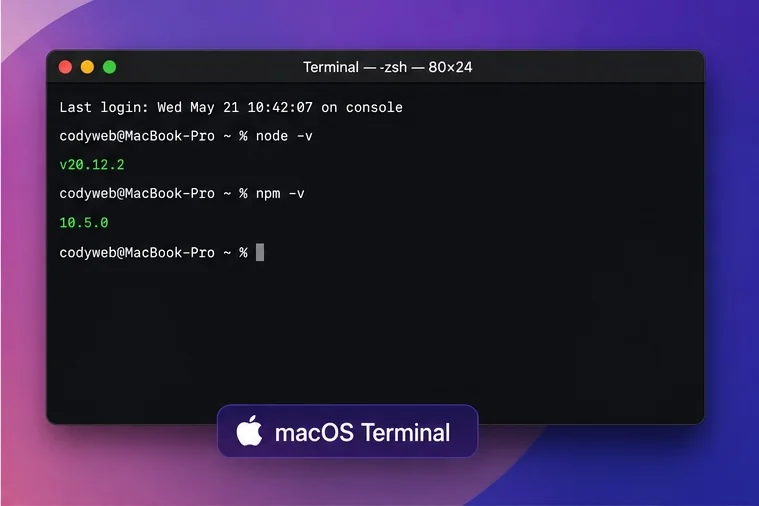
The Terminal on macOS (Latest Version)
On macOS, the easiest way is to use Spotlight Search.
Press Command + Space on your keyboard, type "Terminal," and hit Enter.
A small window with a text prompt will appear. This is your gateway to professional bespoke software development. To make sure you have the necessary tools installed, type node -v and press Enter.
If a version number appears, you are ready to proceed.
The Terminal on Windows (Latest Version)
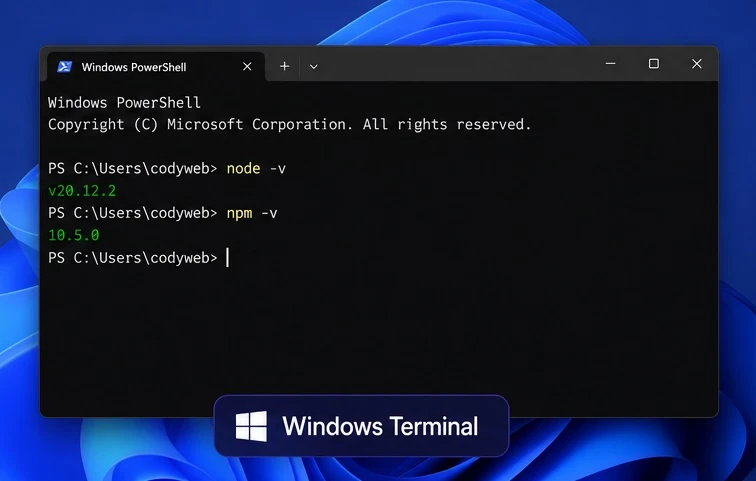
On Windows 11, the most efficient tool is Windows Terminal.
Right-click the Start button (the Windows icon) and select "Terminal" (or "PowerShell").
Alternatively, press the Windows Key, type "Terminal," and press Enter.
Just like on macOS, you can check your readiness by typing node -v to verify your environment is correctly configured for modern web development.
Step 1: Project Scaffolding and Environment Configuration
To build a professional-grade Embedded AI feature, you need a modern development workflow. For most US engineering teams, Vite is the preferred build tool due to its speed and native support for modern JavaScript features. It creates a clean project structure for us automatically. We will also install Transformers.js, the specific library that allows the browser to run AI models. This library is essentially the "brain" of our local application.
Begin by initializing your project through the terminal. These commands create a folder, enter it, and download the necessary AI tools. Type these commands one by one, pressing Enter after each line:
npm create vite@latest local-ai-classifier -- --template vanilla
cd local-ai-classifier
npm install @huggingface/transformers
npm run dev
Once your project is live at "localhost:5173", the core of your logic will reside in "main.js". Unlike traditional AI integration, you do not need an API key or complex backend configuration. The library allows the browser to download quantized models—specialized versions that are significantly smaller in file size—and execute them using the client's local hardware acceleration.
Step 2: Initializing the AI Pipeline and Selecting Models
The architecture of Transformers.js is built around a "pipeline" abstraction. A pipeline automates the complex steps of tokenization, model execution, and output formatting. For this tutorial, we are building a Zero-Shot Classifier. This type of model is highly versatile because it can categorize text into any labels you define (e.g., "Sales," "Support," "Billing") without needing a custom-trained dataset.
In your "main.js" file, import the pipeline and choose a model that balances accuracy with Time-to-Market. Using a model like "Xenova/mobilebert-uncased-mnli" ensures a download size of under 20MB, which is acceptable for professional web apps without causing significant load times.
import { pipeline } from '@huggingface/transformers';

// Allocate a pipeline for zero-shot-classification
const classifier = await pipeline('zero-shot-classification', 'Xenova/mobilebert-uncased-mnli');

console.log("AI is ready!");
This initialization phase is where ROI is often decided. Choosing a model that is too large will frustrate users and increase abandonment rates, while a model that is too small might lack the precision required for business-grade automation. MobileBERT is widely regarded in the developer community as a reliable sweet spot for browser-based text processing.
Step 3: Building the Inference Logic for Business Automation
The next phase involves feeding real-world data into the classifier. Imagine a SaaS company receiving thousands of unstructured inquiries. Instead of manually sorting these leads, we can categorize them the moment the user types their request. This immediate Lead Qualification allows you to route high-priority opportunities to your sales team instantly, increasing your conversion speed.
We define our business categories as "labels" and pass the user input through the classifier. The AI will return a probability score for each label, allowing you to build logic that only triggers an action if a specific confidence threshold is met. This ensures that Lead Generation workflows are both fast and respectful of the user's privacy and the planet's resources.
const userInput = "I am interested in a custom web application for my law firm.";
const labels = ['Sales Inquiry', 'Technical Support', 'Partnerships', 'General Info'];

const result = await classifier(userInput, labels);

console.log(`Predicted Category: ${result.labels[0]} (${(result.scores[0] * 100).toFixed(1)}% confidence)`);
This localized logic eliminates the need for a round-trip to a centralized server for every keystroke. It provides a B2B advantage by allowing you to offer advanced AI-driven features as a standard part of your application without incurring the AI tax of third-party API providers. The business gets an immediate answer, and you save money while reducing your environmental footprint.
Step 4: Implementing Non-Blocking UX and Responsible Fallbacks
A major risk when running Embedded AI is the potential for the model to block the browser's main thread, causing the UI to freeze. To prevent this and maintain a high-quality UX, you must handle the model loading and inference asynchronously. Furthermore, since the model file must be downloaded once, providing clear visual feedback is essential for maintaining brand reputation.
Inform the user that the "Intelligence Engine" is being initialized. Once the model is cached by the browser, subsequent interactions will be instantaneous. For high-performance applications, consider using Web Workers to offload the heavy computation to a background thread, ensuring the interface remains responsive even during intense AI processing. This technical optimization directly impacts your Core Web Vitals, ensuring your SEO performance remains intact.
Implementing a Sustainability-First Interface
To align with our eco-responsible goals, your application should also feature a fallback mechanism. If a user is on an extremely low-end device or a limited data plan, you should detect this and skip the AI download in favor of a standard form or a basic keyword-matching algorithm. This ensures your site remains accessible and energy-efficient for 100% of your audience, regardless of their technology stack.
Additionally, consider the device's battery life. Running intensive computations on a mobile device can drain the battery. To be truly eco-responsible, your application should detect if a device is in "Low Power Mode" and provide a standard, non-AI fallback. This level of attention to detail is what defines the high-quality custom software developed at Codyweb, ensuring Risk Management is handled at every level of the user journey.
Step 5: Frequently Asked Questions about Browser-Based AI
Deploying AI locally is a significant shift that raises valid questions regarding security, performance, and long-term scalability. Below are the most common inquiries from CTOs and product managers looking to integrate this technology into their custom applications.
Does running AI in the browser drain the user's battery?
While any computation uses energy, running a lightweight, quantized model for text classification is much less intensive than streaming a video or loading heavy high-resolution images. The total energy used by the local device is a fraction of the energy required to transmit that data to a cloud data center and back. However, it is standard practice to avoid running these models in the background if the device is in "Low Power Mode."
Is my data more secure if the AI is local?
Yes. By design, Embedded AI follows a "Privacy-by-Design" principle. Because the model is downloaded to the client and the processing happens in the browser's memory, sensitive information never leaves the user's machine. This is a massive compliance advantage for industries like healthcare or finance, where data residency and security are paramount.
Can I run large generative models like Llama-3 in the browser?
Technically, yes, but it is not always recommended for a general-purpose web application. Large models (7B parameters and above) require several gigabytes of RAM and significant download time. For B2B lead generation or automation, small specialized models are much more effective, providing a better ROI through faster load times and reliable performance.
Future-Proofing Your Business with High-Efficiency AI
Choosing an eco-responsible and local-first AI architecture is a decisive move toward building a more resilient, cost-effective, and ethical digital brand. By reducing your reliance on volatile cloud API pricing and minimizing your carbon footprint, you position your organization as a forward-thinking leader in the US market. The browser is no longer just a window for viewing content; it is a powerful platform for intelligence.
At Codyweb, we specialize in bridging the gap between cutting-edge technology and pragmatic business goals. We help US startups and enterprises build bespoke software that prioritizes speed, security, and sustainability. If you are ready to audit your current AI strategy or build a new, high-performance application that respects both your budget and the planet, our team of experts is ready to help.
Contact us today to discuss your project requirements and discover how Embedded AI can transform your digital presence into a high-conversion, low-impact engine for growth. Let’s build the future of the web, responsibly.
- vote(s)